solo enterprise agentgateway · entra jwt · anthropic
Claude Desktop Gateway · Entra JWT → Anthropic
Dedicated gateway for Claude Desktop Interactive sign-in (PKCE) against Microsoft Entra ID.
Strict JWT on the data plane, then Anthropic via the Vault-synced API key — no MDM required
for lab use. On a laptop, use the loopback HTTP proxy so Claude Desktop stays
on plain HTTP without fighting the lab’s self-signed TLS in Electron.
Claude Desktop authenticates with Entra (PKCE), sends an ID token as Bearer,
the gateway validates it Strict against Entra JWKS, then injects the Anthropic key upstream.
Path is / on this dedicated Gateway so Claude Desktop can call
{base}/v1/messages. The open Anthropic path for kagent stays on
anthropic-claude-gateway at :30398/anthropic.
#Live endpoint
Bare-metal NodePort on worker 172.16.10.155. Claude Desktop allows
plain HTTP only on loopback — so the recommended lab path is a local
TCP proxy to the gateway’s HTTP NodePort, not HTTPS into Electron.
Recommended lab path — loopback proxy
On your laptop (lab LAN or VPN), run
python3scripts/claude-desktop-lab-proxy.py
(or ~/bin/claude-desktop-lab-proxy.py if you already installed a copy).
Keep that process running. Set Claude Desktop’s Gateway base URL to
http://127.0.0.1:18789/.
The proxy forwards to 172.16.10.155:31938 (HTTP NodePort of
claude-desktop-gateway).
/etc/hosts → goose.local → https://goose.local:31211/ (cert SAN) — still needs OS trust
HTTPS :31211 is optional — Electron often rejects the lab cert
Direct https://172.16.10.155:31211/ terminates with lab self-signed
solo-ui-tls. Claude Desktop / Electron commonly fails with
ERR_CERT_AUTHORITY_INVALID even when browsers can be taught to trust the cert.
Prefer the loopback proxy. If you insist on HTTPS, import solo-ui-tls
(CN/SAN IP 172.16.10.155, DNS goose.local) into the OS keychain
Claude Desktop uses — YMMV.
Confirm NodePorts
If ports ever change, re-confirm with
kubectl --context maniak-goose -n agentgateway-system get svc claude-desktop-gateway -o wide
(HTTP from port 80, HTTPS from port 443). Anonymous calls must 401/403; a valid Entra ID token reaches Anthropic.
#Lab walkthrough
Short SSO → chat slide deck from a working laptop session (loopback proxy base URL + Entra Interactive).
Source images:
assets/claude-desktop/.
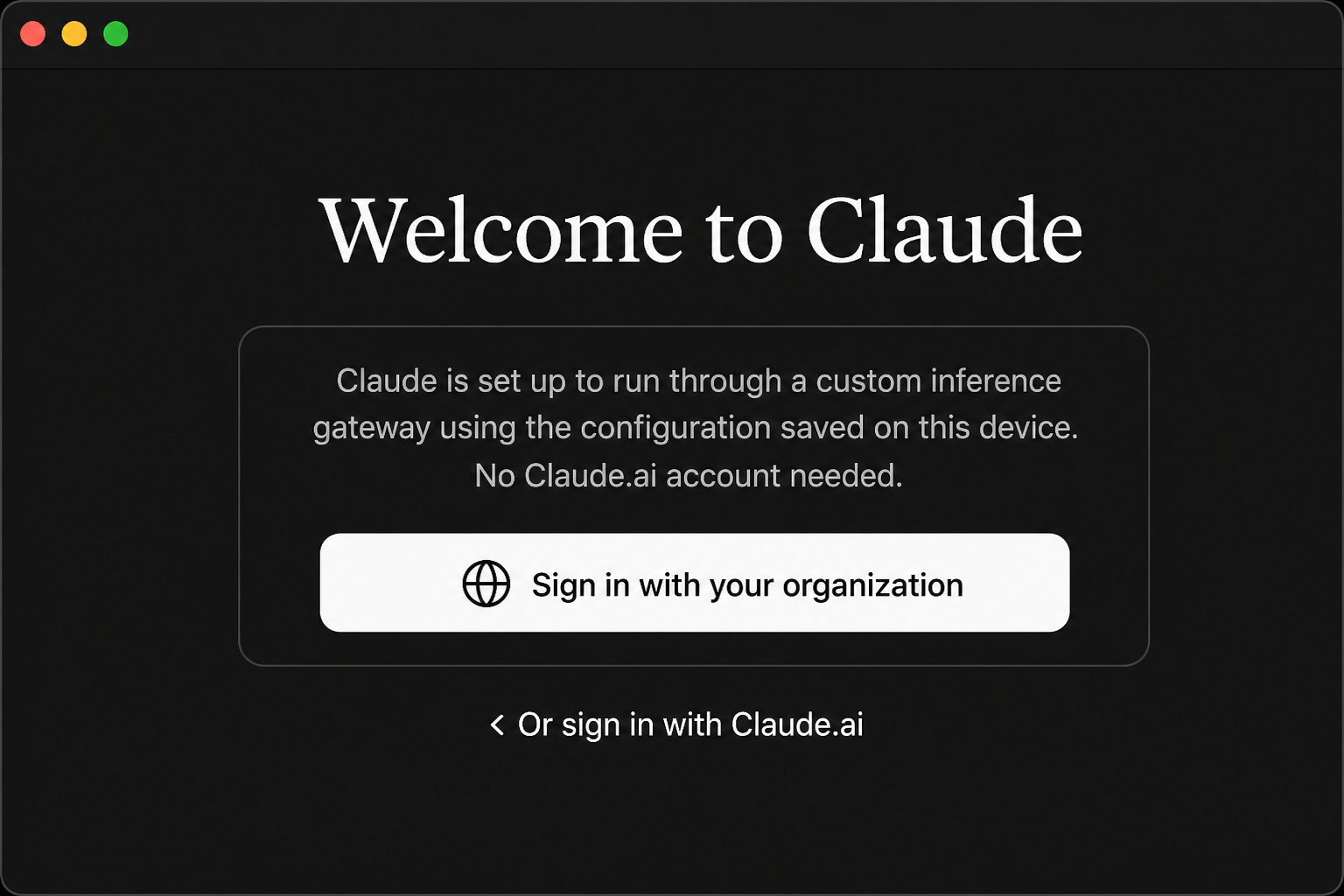
01 · Welcome
Sign in with your organization — custom inference gateway; no Claude.ai account needed.
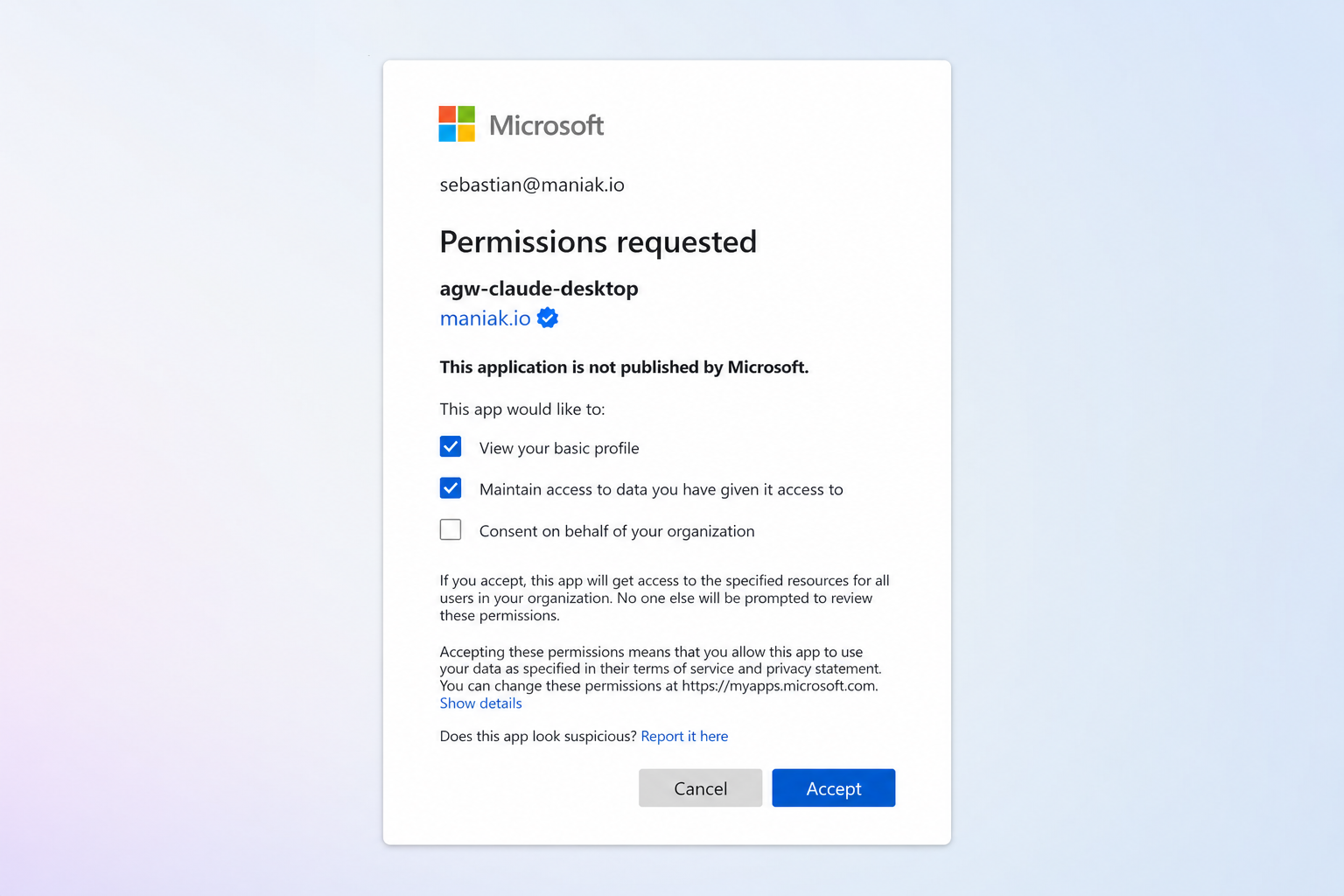
02 · Entra consent
agw-claude-desktop requests profile + offline access for sebastian@maniak.io.
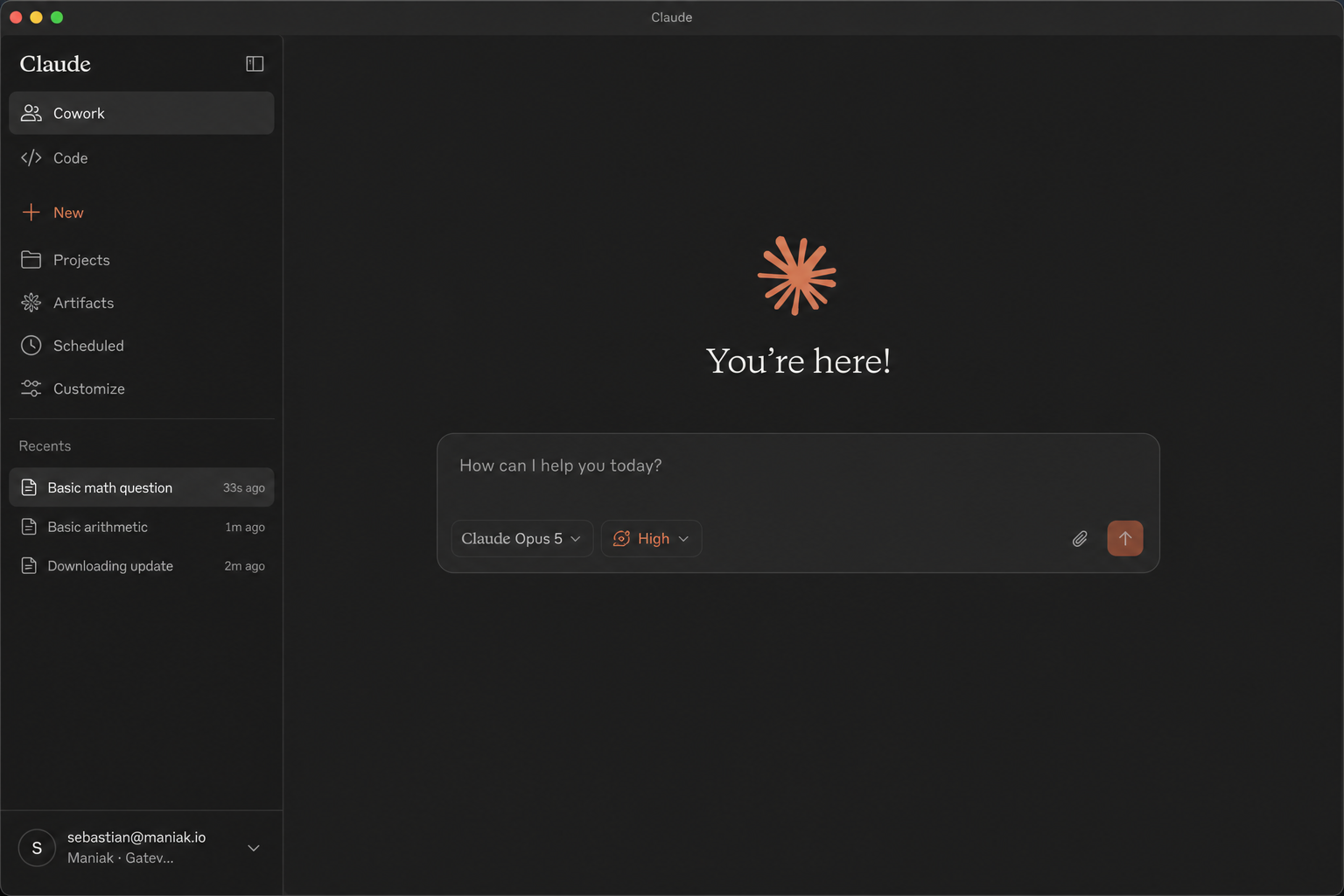
03 · Signed in (primary)
You’re here! · model Claude Opus 5 High · profile sebastian@maniak.io / Maniak Gateway.
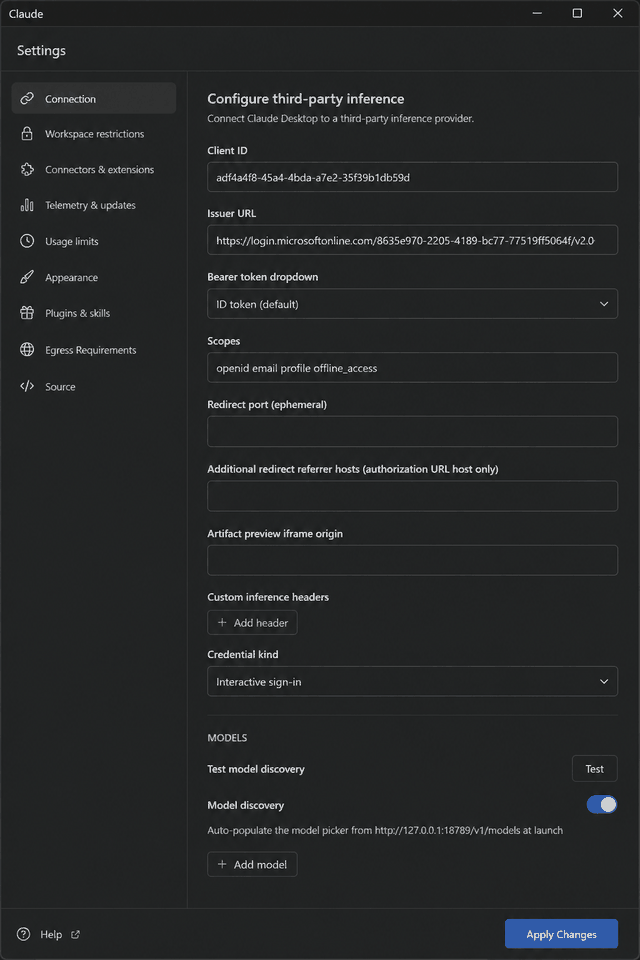
05 · Connection form
Lab Connection pane once Gateway base URL is http://127.0.0.1:18789/ and Credential kind is Interactive sign-in — Client ID, full Entra issuer, Bearer ID token, scopes openid email profile offline_access, Model discovery ON → /v1/models.
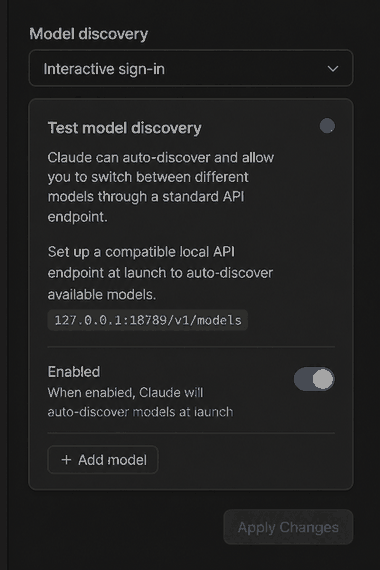
06 · Model discovery
Model discovery ON against 127.0.0.1:18789 · Test model discovery — auto-fills the picker from the lab proxy.
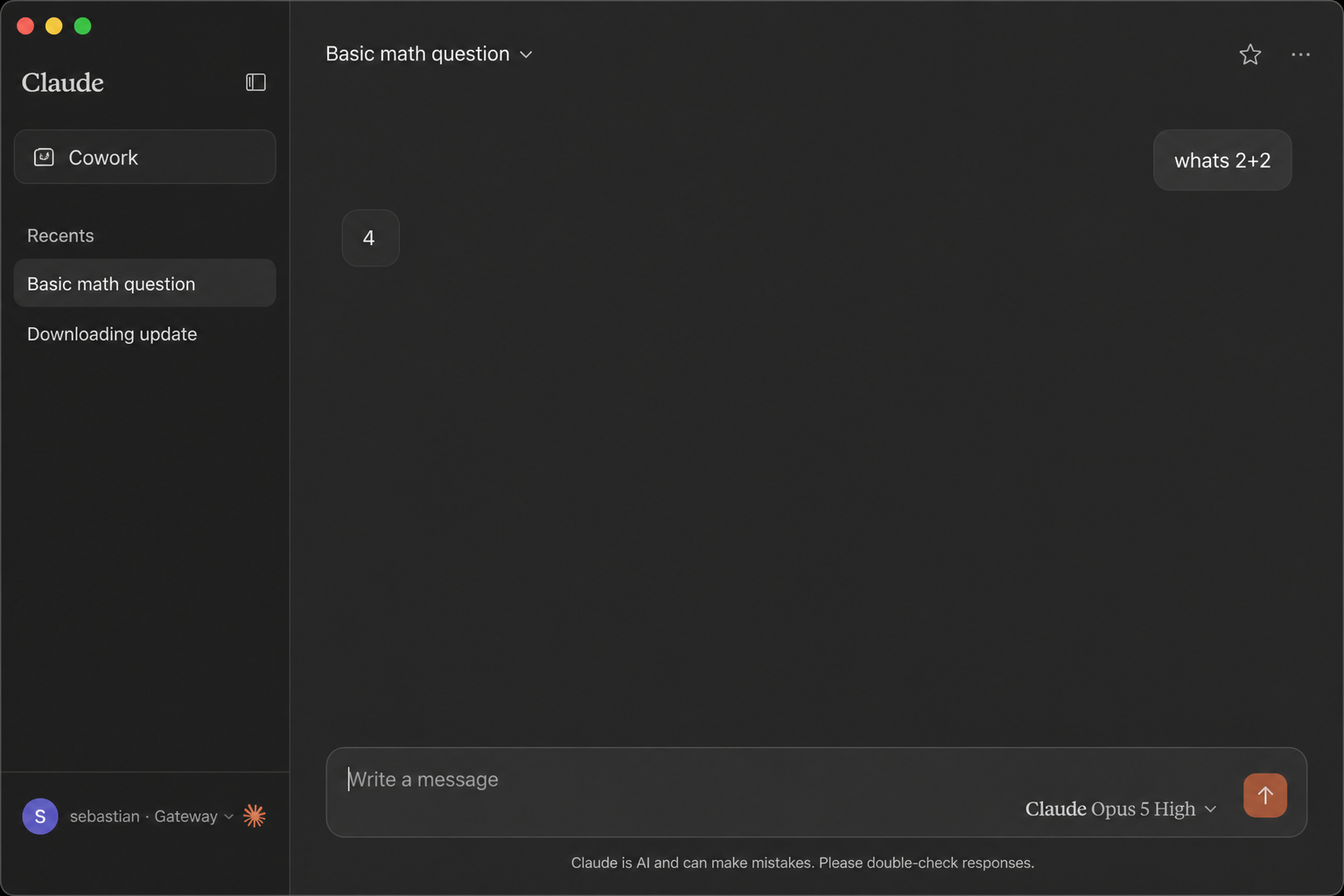
04 · Chat works
whats 2+2 → 4 · footer sebastian · Gateway — inference through the lab gateway.
#Entra app
Public client already registered for Claude Desktop’s loopback PKCE flow.
Help → Troubleshooting → Enable Developer Mode, then
Developer → Configure Third-Party Inference…. Prefer the in-app UI for lab machines;
fully quit and relaunch after edits. Full working lab values below (table + copyable JSON).
On → http://127.0.0.1:18789/v1/models (see walkthrough slides 05–06)
claude_desktop_config.json · lab values
Third-party inference runs in deploymentMode: 3p. Paste this
enterpriseConfig snippet (or merge into your local
claude_desktop_config.json) when not using MDM. Paths vary by OS
once in 3P mode.
inferenceGatewayBaseUrl must be the loopback proxy URL.
bearerTokenType: id_token matches gateway JWT
audiences = this app’s client ID.
refresh
offline_access
Include offline_access so users are not re-prompted every ~1h when
using ID tokens. Fully quit and relaunch Claude Desktop after JSON edits.
#Critical callouts
Bearer must be an ID token
Default Claude Desktop mode and this gateway’s aud = client ID.
Access tokens have a different audience story and will fail Strict JWT.
Redirect must include /callback
Register http://127.0.0.1/callback under Mobile and desktop applications.
http://127.0.0.1 alone fails with AADSTS50011; the port is wildcarded.
Platform = Mobile and desktop — not Web
Do not register the redirect under Web. Entra rejects the loopback PKCE callback on the
Web platform. Public client, no secret.
#Cluster resources
GitOps under config/ via Argo app agentgateway-config. Push + sync is enough. No Gateway/JWT YAML changes for the laptop proxy path. File paths link to GitHub main.